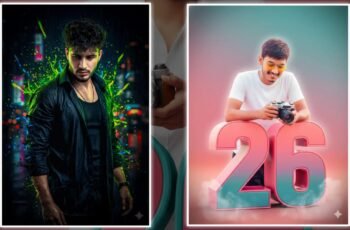
The New Year is all about fresh beginnings, golden lights, and beautiful memories. And what better way to capture that festive feeling than through some cool New Year pics editing? Whether you’re posting your year-end selfie or designing a sparkling greeting post, editing your pics takes them from ordinary to scroll-stopping. Let’s dive into some beginner-friendly tips, tricks, and ideas to make your photos stand out this season.
Why New Year Pics Editing is a Game-Changer
Photo editing is like adding seasoning to your favorite dish — it brings everything to life. A simple click can look cinematic after a few tweaks. New Year pics editing gives your shots that celebration vibe: bright lights, warmth, and glittering effects that scream “new beginnings!”
Think about it — you’ve got awesome photos from your New Year’s party, but they feel dull under low lighting or harsh shadows. A quick brightness boost, some contrast magic, and a touch of glow can fix it all. That’s the beauty of editing: it helps your photos reflect the emotions behind them.
Choosing the Perfect App for New Year Pics Editing
Before you start, you need the right editing tool. There’s no one-size-fits-all, but here are some of the best apps you can use:
-
Lightroom Mobile: For detailed color correction and filters that look natural.
-
Snapseed: Google’s free app with tools perfect for fine-tuning every part of your image.
-
PicsArt: Great for adding New Year stickers, borders, and glowing text effects.
-
Alight Motion or CapCut: Ideal if you’re turning your New Year photos into short video edits or reels.
When picking your app, think about what kind of look you want — realistic, dreamy, or vibrant. The right app gives you control over tones, texture, and creative overlays, turning your photo editing session into a fun digital playground.
Lighting: The Secret Sauce to Stunning Edits
Even the most advanced filters can’t fix a poorly lit shot entirely. Lighting is the backbone of good photography and editing. For New Year pics editing, enhance your lights — after all, the New Year’s Eve vibe is all about sparkle!
Here’s what you can do:
-
Increase brightness slightly but avoid washing out details.
-
Play with “Highlights” and “Shadows” sliders to balance light distribution.
-
Add a warm temperature tone to mimic golden lights or fireworks.
-
If using an editing app, try the “Glow” or “Soft Light” effects for a celebration touch.
Good lighting transforms photos — it turns a dull moment into a masterpiece. Think of it as sunshine for your pictures: it brings warmth and clarity instantly.
Add Festive Filters and Overlays
Filters are like the wardrobe of your photo — they completely change its mood. During New Year pics editing, festive filters are your best friends. Choose filters that emphasize warmth, glow, and vibrancy. Golden tones or hues of red and yellow work like a charm because they reflect celebration and positivity.
You can even use overlays — such as fireworks, glitter sparkles, or soft bokeh effects — to amplify the festive vibes. Some trendy overlays you can search for online include:
-
Fireworks overlays
-
Confetti animations
-
Golden dust and sparkles
-
Vintage light leaks
A subtle overlay makes your picture look professional without overdoing it. Just ensure it complements, not covers, your main subjects.
Adding Text and Stickers Creatively
Once your photo looks visually stunning, it’s time to give it personality! Add meaningful text or a short greeting. Use fun fonts that match the occasion. Something like “Cheers to 2026!” or “New Year, New Dreams ✨” adds charm and engagement to your post.
For New Year pics editing, apps like PicsArt offer exclusive sticker packs — fireworks, champagne glasses, balloons, and glowing numbers. Remember, less is more. A few well-placed stickers look modern; too many can clutter your design.
A useful tip: use contrasting colors for text so it pops. If your background is bright, pick dark or metallic tones for your words.
Balancing Colors: The Key to Visual Harmony
Color editing is where real magic happens. New Year photos often include multiple colors — party lights, fancy outfits, and decorative props — so finding harmony among them is essential.
Here’s a simple color editing strategy:
-
Adjust saturation slightly to make colors look lively but not cartoonish.
-
Balance temperature — go for warmer tones if you want an inviting look.
-
Try HSL adjustments (Hue, Saturation, Luminance) to fine-tune specific colors.
-
Use color grading to create a unified look across all your photos.
When done right, your image will tell a story visually. That’s the real goal of New Year pics editing — making your photos speak emotions effortlessly.
Trendy Editing Styles for New Year 2026
Each year brings new editing trends. For 2026, creators are exploring creative, cinematic, and minimalist looks. Here are some styles you can try:
-
Golden Glow Style: Emphasizes warm tones and soft lights, perfect for festive portraits.
-
Retro Vibes: Slight grain and faded colors for a nostalgic touch.
-
Neon Night Look: Boosts blue and purple tones for party photos.
-
Clean & Bright Look: Reduces shadows and pops whites for an elegant feed.
Experimenting with styles keeps your posts trendy and engaging. Who knows — your New Year pics editing style might just inspire your followers next season!
Final Touches and Posting Tips
After editing, take a step back and review your photo. Check if the brightness, color temperature, and alignment look balanced. Cropping also makes a difference — it focuses attention where you want it.
PROMPT

Ultra-realistic 3D cinematic scene of a A man stepping out from a giant 2025 calendar page into a glowing 2026 calendar page. The man looks determined, wearing modern casual clothes, dramatic lighting highlighting his face and motion. The 2025 calendar page is slightly torn behind him, while the 2026 page shines with golden light. Depth of field, high-resolution, photorealistic textures, cinematic perspective, dynamic motion.
“Cinematic dark tone portrait of a man sitting on a sand beach, front glowing ‘2026’ numbers, large cake, ‘Happy New Years’text, beside him digital clock at 12:00 am, he wears a white and red patterned open shirt(don’t, flowers, box), white t-shirt, white cargo pants, and sneakers, holding a party popper with confetti falling around, short: Canon EOS R5 quality, 85mm, shallow depth of field, same people with soft blurred backgrounds.
Stylish cinematic New Year poster aesthetic. Same man, exact original face and hair, wearing dusty green open shirt and sunglasses. Double exposure composition with side-profile portrait in background and centered full-body pose in foreground. Minimalist cool-toned color grading (teal, pale blue, grey).
Abstract smoke and light streaks. Bold futuristic text “2026”, faded “2025” behind, “A NEW JOURNEY’, “365/365”. Elegant glowing handwritten “Happy New Year”. Teal balloons drifting upward, cin.