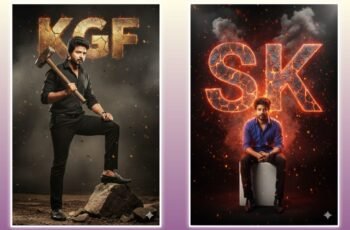
Digital illustration photo editing is where art meets technology. Imagine turning a basic snapshot into a masterpiece that tells a story or radiates emotion—it’s like giving your photos a second life. Whether you’re an artist, influencer, or just someone who loves creating cool content, digital illustration photo editing opens doors to unlimited creativity. It’s not just about fixing images; it’s about illustrating your imagination onto them and building a visual identity that stands out in a crowded digital world.
When you dive into this world, you realize every brush stroke, shadow, and texture carries meaning. Think of your photo as a blank canvas and your editing software as your magic wand. Tools like Adobe Photoshop, Procreate, or Krita can transform ordinary photos into digital art that feels straight out of a fantasy novel. Let’s break down the process and discover how you can use this skill to create scroll-stopping visuals.
What Is Digital Illustration Photo Editing?
Before we jump into how, let’s understand the what. Digital illustration photo editing is the process of enhancing or transforming photos using artistic illustration techniques. It’s a blend of photography and drawing—like painting over your picture digitally. You can add color, texture, patterns, or even surreal elements to bring your imagination to life.
For example, you might start with a regular selfie and then use brushes to give yourself a cartoon or fantasy-themed look. Think glowing eyes, digital wings, or dreamy backgrounds. The result? A personalized piece of art that blends realism and creativity. It’s used in social media posts, game design, digital marketing, magazines, and even NFTs. The possibilities are endless once you master the basics.
Essential Tools for Digital Illustration Photo Editing
To become a pro at digital illustration photo editing, you need the right tools. Just like a painter needs good brushes, a digital artist needs powerful software and a few handy gadgets.
-
Software Choices: Adobe Photoshop is the gold standard for photo editing, while Procreate and Clip Studio Paint are favorites among digital illustrators. Free tools like GIMP or Krita are great starting points too.
-
Hardware Matters: A stylus pen and graphic tablet make editing smoother and more accurate. Tablets like the Wacom Intuos or iPad Pro give better control than a mouse.
-
Plugins and Brushes: Custom brushes help create specific textures, such as watercolor effects, hair strands, or fabric details. Many are available for free online.
Once you combine great tools with creative ideas, editing becomes enjoyable. It’s not just technical—it’s art driven by curiosity and imagination.
How to Start with Digital Illustration Photo Editing
Starting with digital illustration photo editing can be overwhelming at first, but the right approach makes it easy. Begin with a single image and pick one area to focus on—like changing the background, adding an effect, or enhancing lighting. The secret is to experiment without fear.
Here’s a simple step-by-step to get started:
-
Choose a high-quality photo.
-
Open it in your preferred editing software.
-
Use layers to separate elements (background, subject, highlights).
-
Adjust brightness, contrast, and saturation before adding illustrations.
-
Start painting digitally using brushes or pen tools.
-
Blend colors and effects to keep the image cohesive.
Don’t aim for perfection on your first try. Art is a process—each stroke teaches you something new. With time, you’ll develop your own editing style.
Popular Techniques in Digital Illustration Photo Editing
This is where the fun begins! There are tons of techniques to bring your ideas to life in digital illustration photo editing. The key is knowing which method fits your vision.
-
Double Exposure: Combine two images to create surreal effects, like a person merging with cityscapes or forests.
-
Cartoonify: Turn real faces into illustrated characters with clean lines and bold colors.
-
Digital Painting: Completely paint over photos to create a hand-drawn look.
-
Lighting Effects: Use highlights and shadows to add depth and mood.
-
Texture Overlays: Layer in paper, fabric, or grunge textures for artistic life.
Each technique adds flavor to your creation, like seasoning a dish. When you blend different styles, your photo starts to feel more alive and expressive.
Common Mistakes Beginners Should Avoid
Even the best artists make errors when learning digital illustration photo editing. The trick is to avoid common pitfalls that slow down your progress.
-
Over-editing: Too many filters or layers can make your image look fake. Keep it natural where it matters.
-
Ignoring lighting: Light direction adds realism—don’t paint shadows in random spots.
-
Skipping layer organization: Label and group your layers so you don’t get lost.
-
Low-resolution images: Always use high-quality photos for editing.
Remember, balance is everything. A good rule of thumb—if it looks good from both far and close up, you’ve done it right!
Tips to Boost Your Editing Skills Fast
Want to master digital illustration photo editing faster? Practice every day, even for 15 minutes. Small, regular sessions are more effective than rare, long ones. Here are some practical tips:
-
Watch YouTube tutorials and replicate the results until you get comfortable.
-
Follow digital artists on Instagram or Behance for inspiration.
-
Participate in online art challenges to push creativity.
-
Use references—study how color, light, and reflection behave in real life.
-
Save your projects in layers so you can revisit and improve them later.
Every edit is a step forward. The more you play with tools and techniques, the faster you’ll develop your signature style.
Career and Income Opportunities in Digital Illustration Photo Editing
Here’s the exciting part: your hobby can become an income stream. The demand for digital illustration photo editing skills is skyrocketing. Businesses need artists for brand visuals, animation, advertising, web design, and product mockups. Even individuals hire editors for stylized portraits, NFTs, and merch art.
You can work as a freelancer on platforms like Fiverr or Upwork, sell digital artwork online, or start an Instagram page showcasing your art. As your skills grow, so does your earning potential. It’s not just about making pretty pictures—it’s about visual storytelling that connects with audiences and drives engagement.
Conclusion: Turn Your Imagination into Digital Magic
Mastering digital illustration photo editing isn’t just about technical expertise—it’s about letting your creativity flow limitlessly. Each project is a personal adventure through colors, shadows, and imagination. Whether you want to create stunning social media visuals, vibrant character designs, or professional artwork, this skill empowers you to bring ideas to life.
PROMPT

This vector illustration is 100% identical to the attached photo. The artistic style is bold, American comic-book style, similar to GTA loading screen art with thick black outlines, high-contrast cel shading, and vibrant, flat colors. The dark background is a monochromatic brownish gradient. Clean lines, energetic composition, digital illustration.
Convert this image into a dramatic, stylized portrait (use the same face as the uploaded photo), 9:16 aspect ratio, featuring a dark, almost silhouetted figure in profile looking to the left. The background is a vibrant, solid blue. Dynamic, expressive black and blue brushstrokes or abstract splatters emanate from around the figure’s head and shoulders, blending into the blue background and creating a sense of motion. Create a HD photo.[MS DHONI] signature.